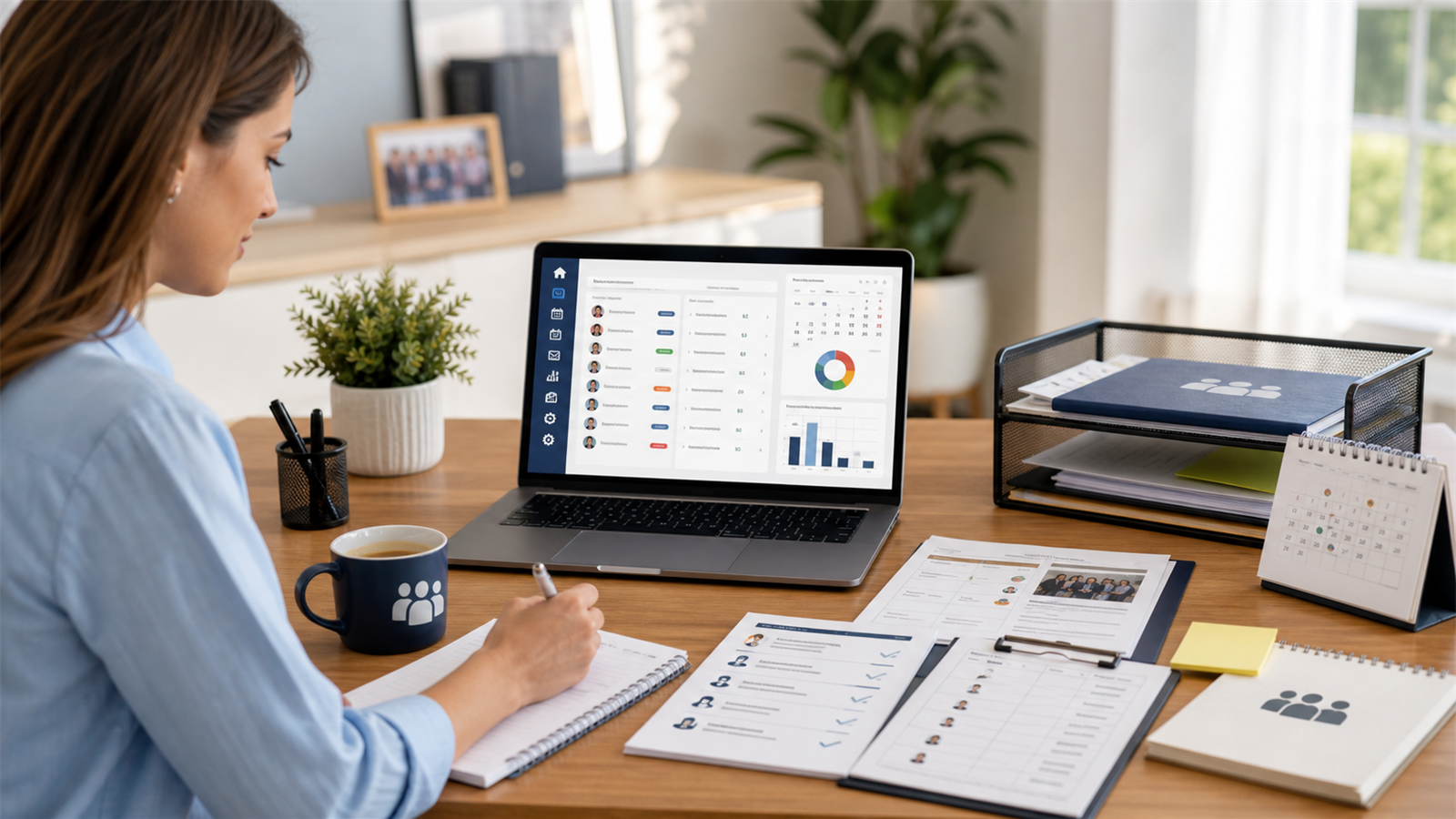
Software for task tracking helps teams capture work, assign owners, set deadlines, follow progress, manage priorities, and make sure important tasks do not disappear after meetings, chats, emails, or planning sessions. For busy associations, nonprofits, executive groups, alumni bodies, property owner associations, and small operational teams, good task tracking can be the difference between steady progress and constant chasing.
Most teams do not fail because people are unwilling to work. They struggle because work is scattered. One task is mentioned in a meeting. Another is buried in a WhatsApp message. A dues reminder sits in someone’s inbox. A document update is written on a sticky note. A board action item is remembered by the secretary, but not by the person responsible. By the time everyone realizes something is late, the task has already become a problem.
That is what task tracking software is meant to fix. It gives the team one place to see what needs to be done, who owns it, when it is due, what status it is in, and what information is attached to it.
This guide explains what software for task tracking does, what features to look for, how it helps association leaders, what mistakes to avoid, and how platforms like Asovex support organized work by connecting members, meetings, documents, dues, reports, communication, roles, and governance.
What Is Software for Task Tracking?
Software for task tracking is a digital tool that helps individuals and teams organize tasks from start to finish. A task might be simple, such as “send meeting minutes,” or complex, such as “prepare annual general meeting documents.” The software keeps the task visible until it is completed.
A good task tracking system usually answers five questions:
- What needs to be done?
- Who is responsible?
- When is it due?
- What is the current status?
- What documents, notes, or context are needed?
That may sound basic, but many teams do not have one reliable place for those answers. They rely on memory, reminders, chat messages, or spreadsheets. That works for a while, then breaks down when work grows.
For associations, task tracking is especially useful because many tasks come from meetings, dues cycles, member requests, documents, events, elections, reports, and board decisions. If those tasks are not tracked, the association can look disorganized even when leaders are working hard.
Why Task Tracking Matters
Task tracking matters because unfinished work damages trust. Members may not see the task board, but they feel the effects when follow-ups are late, receipts are missing, documents are not updated, meetings lack action, and projects drag without explanation.
Task tracking helps teams:
- Reduce forgotten work
- Clarify responsibility
- Improve deadlines and follow-through
- Prepare better meetings
- Keep documents and notes connected to tasks
- Spot blocked work early
- Reduce repeated reminders
- Make handovers easier when roles change
In association work, this creates a more professional member experience. The treasurer can track finance tasks. The secretary can manage minutes and documents. The president can see what needs leadership attention. Committee chairs can follow project responsibilities. Volunteers can understand exactly what is expected.
If your team is also struggling with planning habits, the Asovex article on time management methods and techniques gives practical ways to combine task tracking with prioritization, time blocking, delegation, and weekly review.
Signs Your Team Needs Task Tracking Software
You may not need software for every small personal to-do list. But once a group is sharing work, software becomes more useful.
Your team probably needs task tracking software if:
- Tasks are often mentioned in meetings but not completed.
- People ask “who was supposed to handle this?”
- Important work lives in private inboxes or chats.
- Deadlines are missed because nobody had a shared view.
- Board members and volunteers duplicate work.
- Documents are updated late or in the wrong version.
- Member requests fall through the cracks.
- Reports require last-minute chasing.
- Leadership handovers are stressful.
- No one can easily see what is blocked or overdue.
These problems are not character flaws. They are system gaps. A better system makes responsible work easier.
Key Features to Look For in Software for Task Tracking
Not all task tools are equal. Some are built for personal productivity. Some are built for software teams. Some are built for general project management. Associations and operational teams need tools that are simple enough to use but structured enough to support real accountability.
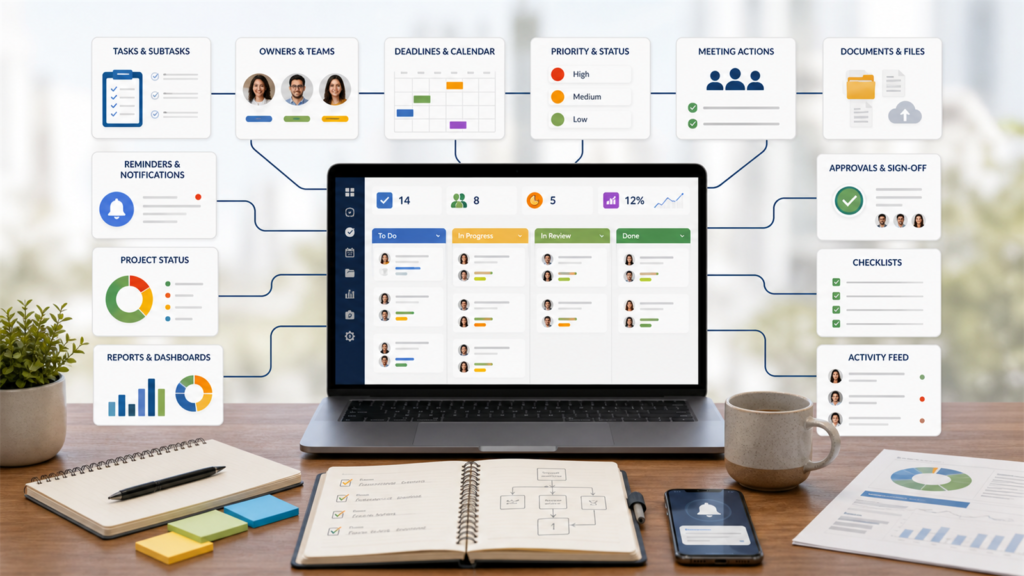
1. Task Ownership
Every task should have one clear owner. Several people may help, but one person should be responsible for moving it forward. Without ownership, tasks become group wishes.
2. Deadlines and Reminders
Deadlines keep work visible. Reminders help prevent last-minute panic. A good tool should make due dates easy to set, change, and review.
3. Status Tracking
Status labels such as not started, in progress, blocked, waiting for approval, and complete help leaders understand what is happening without asking for constant updates.
4. Priorities
Not all tasks are equal. The tool should help teams identify urgent, high-value, low-priority, recurring, or optional tasks. Priority clarity prevents small work from crowding out important work.
5. Comments and Context
Tasks should include notes, decisions, files, links, and discussion. Otherwise, people waste time searching for context elsewhere.
6. Meeting Action Items
Many team tasks come from meetings. Good task tracking software should make it easy to turn meeting decisions into action items with owners and deadlines.
7. Recurring Tasks
Associations repeat many tasks: dues reminders, monthly reports, board packs, meeting minutes, event planning, renewal campaigns, and document reviews. Recurring tasks save time and reduce forgotten routines.
8. Views That Fit the Work
Some people prefer lists. Others prefer boards, calendars, timelines, or dashboards. The best system gives enough visibility without overwhelming users.
9. Permissions and Roles
Not everyone should see every task. Finance tasks, governance records, member issues, and sensitive documents may need controlled access.
10. Reports
Leaders need to see completed work, overdue tasks, upcoming deadlines, blocked items, and workload. Reports help turn task tracking into management insight.
How Task Tracking Software Helps Associations
Associations are full of recurring responsibilities. Member renewals, dues collection, event planning, meeting minutes, document approvals, committee updates, elections, and reports all create tasks. If these tasks are not tracked, leaders start relying on memory.
Software for task tracking helps associations manage:
- Board meeting action items
- Dues follow-up and receipt tasks
- Member onboarding steps
- Event planning and registrations
- Document updates and approvals
- Committee project tasks
- Financial report preparation
- Election and voting preparation
- Volunteer assignments
- Leadership handover checklists
This kind of structure fits naturally with broader association management. The Asovex guide on how to manage association work explains why members, dues, meetings, documents, communication, voting, and reports should not be treated as separate islands.
Task Tracking vs Project Management
Task tracking and project management are related, but they are not exactly the same. Task tracking focuses on individual pieces of work: who owns them, when they are due, and whether they are done. Project management focuses on a larger goal made up of many tasks, resources, timelines, budgets, dependencies, and outcomes.
For example, “send dues reminder by Friday” is a task. “Run the annual membership renewal campaign” is a project. “Upload approved minutes” is a task. “Prepare the annual general meeting” is a project.
A good system should support both. It should allow small tasks to be tracked clearly while also grouping related tasks under larger projects or workflows.
Task Tracking vs To-Do Lists
A to-do list is useful for personal work. But team task tracking needs more structure. A private to-do list does not show other people what is happening. It does not support shared ownership, reports, approvals, comments, files, or handovers.
If you are working alone, a simple list may be enough. If you are leading a board, committee, staff team, or volunteer group, task tracking software is usually better.
How to Set Up Task Tracking Properly
Buying software is easy. Setting it up well takes a little thought. Start small and make the rules clear.
Use this simple setup:
- Create task categories such as finance, meetings, members, events, documents, reports, and governance.
- Define status labels such as not started, in progress, blocked, waiting, and complete.
- Agree that every task must have one owner.
- Set due dates only when they are real.
- Add documents or links directly to the task.
- Review overdue and blocked tasks weekly.
- Close completed tasks so the system stays clean.
Do not overbuild the system on day one. Too many fields and rules can make people avoid it. Start with what the team will actually use.
Common Mistakes to Avoid
The first mistake is tracking too much. If every tiny thought becomes a task, the system becomes noisy. Track work that needs ownership, follow-up, or visibility.
The second mistake is assigning tasks to groups. “Finance committee” is not an owner. Assign one person, even if the group contributes.
The third mistake is using deadlines carelessly. If every task is due tomorrow, the system becomes meaningless. Use deadlines to guide real attention.
The fourth mistake is failing to review. Task tracking works only when people look at it regularly. A weekly review is the heartbeat of the system.
The fifth mistake is separating tasks from the records they depend on. If a task is about a document, payment, member, meeting, or report, attach the context.
The sixth mistake is choosing software that is too complex for the team. A tool that looks impressive but nobody updates is not helping.
How Asovex Fits Into Task Tracking for Associations
Asovex is association management software, not just a generic task app. Its value is that it helps associations organize the work around members, dues, meetings, documents, reports, communication, roles, and governance.
For association teams, task tracking becomes more useful when it is connected to real association workflows. A dues task should connect to finance records. A meeting action should connect to minutes. A document task should connect to the document library. A voting task should connect to governance records. A member follow-up should connect to the member profile.
That is the bigger idea behind digital association management. The Asovex article on what is digital association explains how connected systems help organizations move beyond scattered tools.
You can explore Asovex features, see how Asovex works, or compare pricing plans if your association needs a more connected way to handle work.

Best Use Cases for Task Tracking Software
Task tracking software is useful in many workflows, but these are especially common for associations and member organizations.
Board Meetings
After each meeting, turn decisions into action items. Assign owners, deadlines, and follow-up dates. This prevents the same issue from returning every month with no progress.
Dues and Renewals
Track reminders, overdue follow-ups, receipt checks, payment reconciliation, and renewal campaigns. The finance team should not rely on memory during busy dues periods.
Event Planning
Events include venue, speakers, registration, budget, volunteers, promotion, attendance, materials, and follow-up. Task tracking keeps the many moving parts visible.
Document Management
Policies, minutes, reports, templates, and forms all need updates. A task tracker helps identify who is reviewing, approving, and publishing each document.
Member Onboarding
New members may need welcome messages, profile verification, dues confirmation, portal access, chapter assignment, and event invitations. Tracking these steps improves first impressions.
Leadership Handover
When officers change, task lists help the next person understand open work. This is especially helpful for volunteer-led associations.
Task Tracking Checklist
- Put all shared work in one system.
- Give every task one owner.
- Add a real deadline where needed.
- Use simple status labels.
- Attach documents, links, or notes.
- Group tasks by workflow or project.
- Use recurring tasks for repeated work.
- Review blocked and overdue tasks weekly.
- Close completed tasks promptly.
- Keep the system simple enough for the whole team to use.
Final Thoughts
Software for task tracking is not only about productivity. It is about trust. When tasks are visible, owned, and reviewed, teams become easier to rely on. Meetings produce action. Dues follow-ups happen. Documents get updated. Members receive responses. Leaders see what needs attention before it becomes urgent.
The best task tracking system is simple, clear, and connected to the work your team actually does. For associations, that means connecting tasks to members, dues, meetings, documents, reports, communication, roles, and governance.
Asovex helps associations build that kind of operating rhythm. Visit Asovex, explore the features, or read more practical guides on the Asovex blog.
Frequently Asked Questions
What is software for task tracking?
Software for task tracking is a digital tool that helps teams record tasks, assign owners, set deadlines, track progress, add context, and review completed or overdue work.
Why do teams need task tracking software?
Teams need task tracking software because shared work can easily get lost in meetings, emails, chats, and memory. A task tracker gives everyone one place to see responsibility and progress.
What features should task tracking software have?
Good task tracking software should include task ownership, deadlines, reminders, status labels, priorities, comments, attachments, recurring tasks, permissions, and reporting.
Is task tracking software useful for associations?
Yes. Associations can use task tracking software for board actions, dues follow-up, event planning, member onboarding, document updates, reports, elections, and volunteer assignments.
How is task tracking different from a to-do list?
A to-do list is usually personal and simple. Task tracking software is better for teams because it supports shared ownership, deadlines, status updates, comments, files, reporting, and handovers.
Can Asovex help with task tracking?
Asovex helps associations manage the workflows around tasks, including members, dues, meetings, documents, communication, reports, roles, and governance. This makes task follow-up easier because the work is connected to association records.