
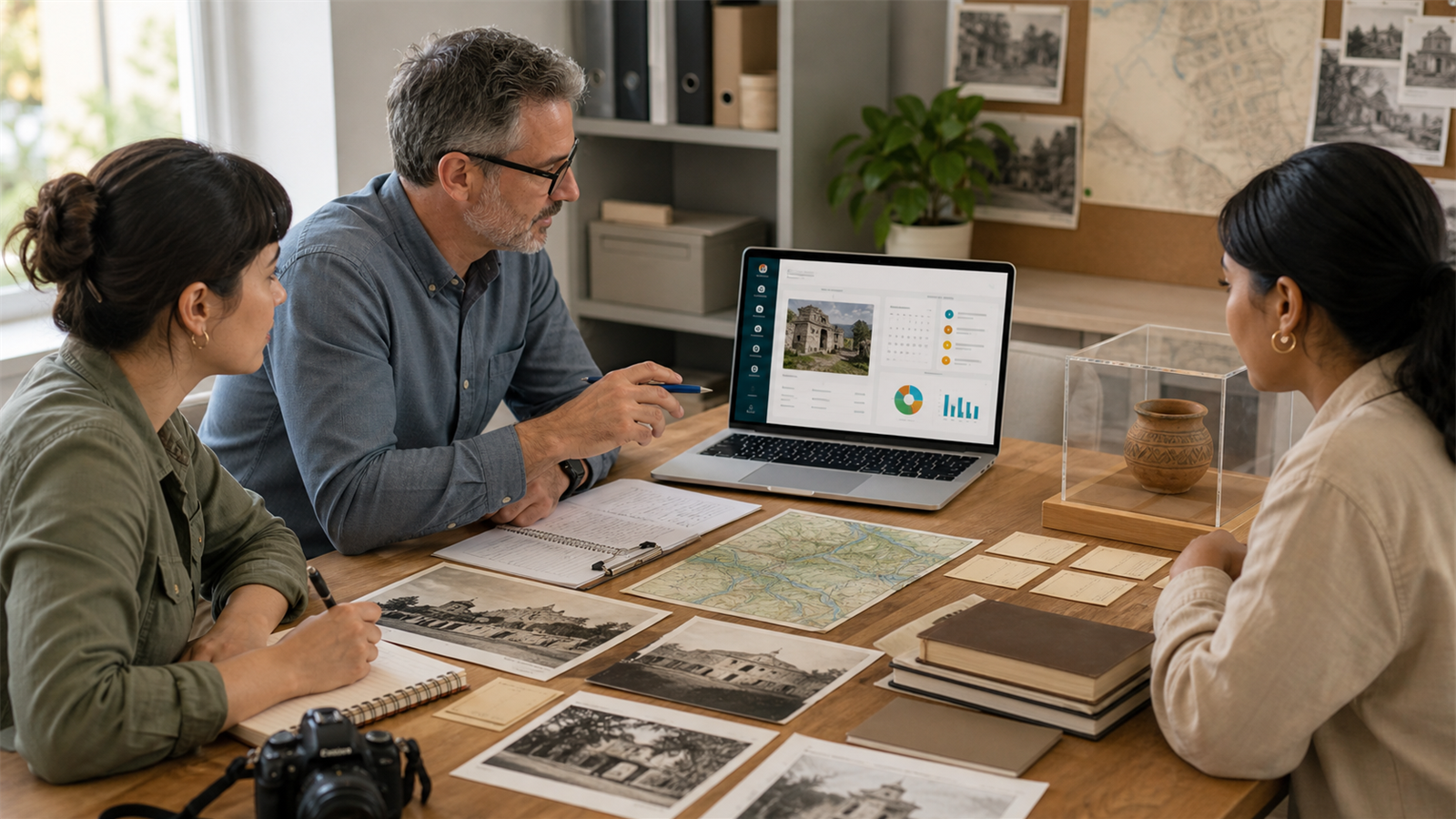
Cultural resource management software helps organizations document, organize, protect, report on, and manage information about cultural resources such as historic sites, archaeological records, cultural landscapes, museum objects, structures, archives, community heritage projects, and preservation activities. For cultural institutions, heritage nonprofits, professional associations, local history groups, preservation societies, and community organizations, the right software can turn scattered records into a system people can actually trust.
But the phrase can mean different things depending on who is searching. An archaeologist may be looking for field survey tools, GIS mapping, site inventory, Section 106 compliance records, and artifact cataloging. A museum may need collection management, accession records, conservation notes, and loans. A cultural association may need member records, dues, meetings, documents, project reports, events, communication, and governance workflows. A local heritage nonprofit may need a mixture of all these things.
That is why choosing cultural resource management software should begin with the work you actually manage. Do you manage physical cultural resources? Do you manage people who support cultural work? Do you manage documents, grants, community programs, preservation projects, or member-led committees? The right answer may be one specialist system, one association management platform, or a combination of both.
This guide explains what cultural resource management software means, the features to look for, where specialist tools matter, and how a platform like Asovex can support cultural associations and heritage organizations that also need to manage members, dues, meetings, documents, communication, and reports.
What Is Cultural Resource Management?
Cultural resource management, often shortened to CRM, is the practice of identifying, documenting, evaluating, protecting, and managing places, objects, landscapes, records, and traditions that have historical, archaeological, architectural, cultural, scientific, or community value.
The National Park Service recognizes several broad cultural resource categories for management purposes, including archeology, cultural landscapes, structures and installations, museum objects, and ethnographic resources. That range is important because cultural resource work is not only about artifacts. It can involve buildings, landscapes, places of traditional importance, collections, records, and the stories attached to them.
In the United States, cultural resource management can also connect to historic preservation laws, environmental review, Section 106 consultation, state historic preservation offices, tribal consultation, public agencies, developers, museums, and preservation professionals. In community settings, the term may be used more broadly for heritage projects, cultural associations, archives, oral history, local museums, festivals, education programs, and preservation initiatives.
Because the field is broad, software needs vary widely. A field archaeologist does not need the exact same toolset as an alumni cultural association. A museum collection manager does not need the same dashboard as a volunteer-led heritage society. Good software starts with a clear understanding of the work.
What Is Cultural Resource Management Software?
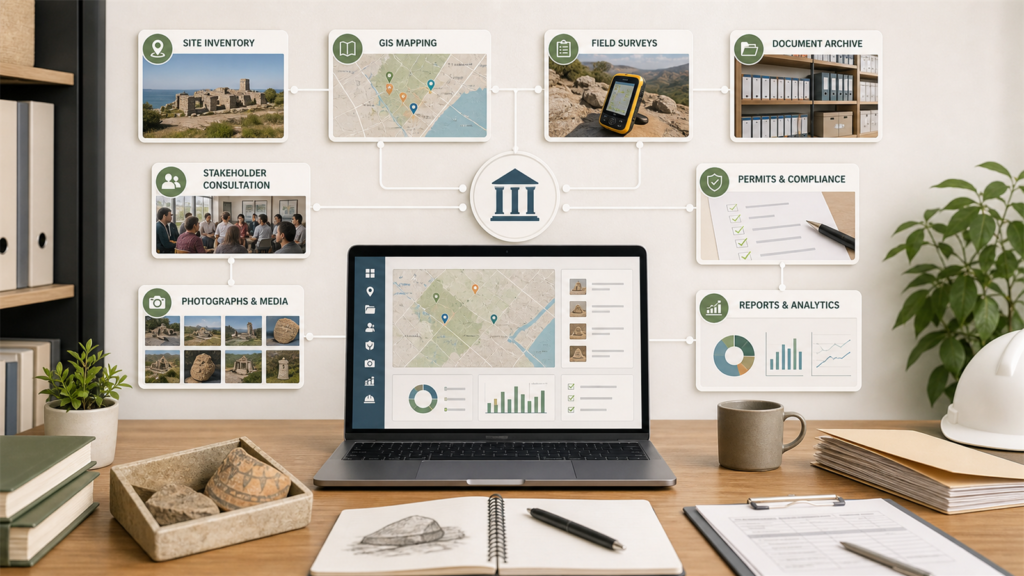
Cultural resource management software is a digital system used to manage cultural resource data, documents, workflows, projects, people, compliance tasks, or organizational records. It may include features for site inventories, GIS maps, surveys, photographs, artifact catalogs, condition assessments, permits, reports, consultation records, collections, and preservation project tracking.
For some organizations, cultural resource management software is highly specialized. It may need spatial data, field forms, GPS coordinates, restricted site locations, compliance review history, and detailed resource classifications. For others, the main need is operational: managing the members, committees, dues, documents, events, reports, and communications that keep cultural work moving.
Both needs are real. The mistake is pretending one tool can automatically do everything. A serious archaeology compliance team may need a specialist CRM and GIS platform. A cultural membership organization may need association management software. A larger heritage organization may need both, integrated through clear processes.
If your organization is still trying to manage everything through spreadsheets, email folders, and private drives, the first step is to map your workflow. What records do you keep? Who updates them? Who needs access? What must be private? What needs reporting? What happens when leadership changes?
Why Cultural Organizations Need Better Digital Systems
Cultural and heritage work often depends on memory. A long-serving officer remembers where the files are. A volunteer remembers who donated the archive. A committee member remembers which grant report is due. A project lead remembers which community partner gave consent. That kind of knowledge is valuable, but it becomes risky when it is not stored in an organized system.
Organizations need better digital systems because cultural work can involve sensitive information, long timelines, public trust, donor records, project obligations, member participation, and historical documents that should not disappear when one person leaves.
Common problems include:
- Site records stored in disconnected folders
- Archive photos without clear metadata
- Meeting minutes kept in private email accounts
- Dues and donations tracked separately from member records
- Project reports prepared from old spreadsheets
- Volunteers unsure which document version is current
- Restricted cultural information shared too widely
- Leadership transitions that disrupt institutional memory
A good digital system does not remove care from cultural work. It supports care by making records easier to protect, find, update, and hand over.
Key Features of Cultural Resource Management Software
The best cultural resource management software depends on the type of organization, but several feature areas are common.
1. Resource Inventory
A resource inventory is the foundation. It stores basic information about cultural resources: name, type, location, description, significance, condition, ownership, associated documents, photographs, and management status. For archaeological and preservation work, this may include site numbers, eligibility evaluations, survey history, and restricted access controls.
2. GIS and Mapping
Many cultural resources are location-based, so mapping matters. GIS tools can help teams understand where resources are located, how they relate to project areas, and which places may need review before development or preservation work begins. For sensitive sites, map access must be carefully controlled.
3. Document and Archive Management
Cultural resource work produces many documents: reports, photographs, maps, permits, meeting notes, oral history transcripts, consultation letters, grant records, policies, and preservation plans. A document system should support clear folders, metadata, version control, permissions, and search.
4. Project and Task Tracking
Preservation projects often include deadlines, approvals, site visits, consultation, reports, funding requirements, and assigned responsibilities. Software should help teams track project status, owners, deadlines, and next steps.
5. Compliance and Consultation Records
For organizations involved in historic preservation review, regulatory compliance, or public agency work, the system may need to record consultation history, review milestones, determinations, comments, correspondence, and final decisions.
6. Collections and Object Records
Museums, archives, and heritage centers may need object-level records, accession information, donor details, location tracking, conservation notes, images, loans, and exhibit history. This may require a museum collection management system rather than a general association tool.
7. Member and Stakeholder Management
Cultural organizations are not only resource keepers. They are also communities. They may manage members, donors, committees, volunteers, educators, elders, board members, partner institutions, and public supporters. This is where association management software becomes important.
8. Reports and Exports
Reports help teams explain progress, apply for funding, update boards, serve members, and meet compliance requirements. A useful system should make it easier to export accurate data without rebuilding records by hand every time.
Specialist CRM Software vs Association Management Software
This distinction is important. Cultural resource management software and association management software can overlap, but they are not identical.
Specialist CRM software is usually built for cultural resource professionals. It may focus on site inventory, GIS, field survey, archaeological records, compliance workflows, museum objects, and preservation documentation. If your organization manages regulated cultural resource data or sensitive site locations, specialist tools are often necessary.
Association management software is built for organizations that manage people and operations. It may focus on members, dues, invoices, receipts, meetings, documents, voting, communication, roles, reports, and dashboards. If your cultural organization has members, officers, committees, subscriptions, events, governance, or community programs, this kind of platform may be just as important.
For example, Asovex is not a specialist archaeological GIS or museum cataloging system. It should not be described that way. Its strength is helping associations manage people, finance workflows, meetings, documents, reports, communication, and governance. For a cultural association, heritage nonprofit, alumni cultural group, preservation society, arts council, or community heritage organization, those operational needs are often central.
In many cases, the best setup is simple: use a specialist cultural resource system for technical resource records, and use Asovex for the association side of the organization. That gives professionals the depth they need while giving leaders a clearer way to manage members, dues, meetings, reports, and communication.
Who Uses Cultural Resource Management Software?
Different groups may search for cultural resource management software for different reasons.
Archaeology firms may need field survey records, site forms, mapping, photos, artifact logs, compliance reporting, and secure archives. Historic preservation consultants may need building surveys, condition assessments, project notes, review records, and report generation.
Museums may need collection records, exhibit files, donor information, conservation notes, loans, images, and location tracking. Public agencies may need inventories, consultation records, restricted-access maps, and project review workflows.
Heritage nonprofits may need project files, grant documentation, volunteer records, member communication, event calendars, board reports, and document storage. Cultural associations may need dues, elections, committees, membership categories, meeting minutes, member engagement, and digital records.
The software decision should match the organization’s role. A tool that works beautifully for a museum collection may not solve member dues. A tool that handles association dues may not meet archaeological compliance needs. The goal is fit, not fashion.
How Cultural Associations Can Use Asovex
Cultural associations often sit at the intersection of heritage, community, education, and membership. They may not be managing archaeological compliance every day, but they do manage people and programs that keep cultural work alive.
Asovex can support cultural associations by helping them manage:
- Member profiles and membership status
- Dues, invoices, receipts, and payment records
- Board meetings, committee meetings, and minutes
- Documents, reports, policies, and project files
- Announcements, reminders, and member communication
- Roles for presidents, secretaries, treasurers, committee chairs, and members
- Voting, elections, motions, and governance records
- Dashboards and reports for leadership review
This matters because many cultural organizations depend on volunteers and part-time leaders. A system that reduces administrative confusion gives leaders more time for preservation, education, programming, advocacy, and community engagement.
If your cultural group is still defining its digital foundation, the Asovex guide on what is digital association explains how organizations can move from scattered tools to connected operations.
Practical Use Cases for Heritage and Cultural Organizations
A cultural heritage society may use specialist software to manage site documentation, while using Asovex to manage members, dues, meetings, and public events. The specialist tool protects technical resource data. Asovex keeps the organization running.
A local history association may use Asovex to manage member renewals, board minutes, archive access requests, volunteer schedules, and fundraising reports. If the group later develops a formal collection, it may add collection management software.
A preservation nonprofit may track advocacy projects, meeting decisions, donor/member records, and document libraries in Asovex, while keeping regulated property records in a separate preservation database.
A cultural professional association may use Asovex to manage members, chapters, dues, committees, elections, events, announcements, and financial reports. It may not need specialist CRM software unless it directly manages cultural resource inventories.
A museum friends group may not catalog the museum collection itself, but it may manage members, contributions, events, board reports, volunteer communication, and documents. That is an association management problem, not a museum cataloging problem.

Security and Access Control Matter
Cultural resource data can be sensitive. Some site locations should not be public. Some documents may contain restricted cultural knowledge, donor information, personal data, legal correspondence, or unfinished reports. The wrong access settings can create harm.
When reviewing software, ask how the system handles roles, permissions, audit history, document access, user accounts, exports, and backups. Not everyone should see everything. A member may need event details and general documents. A treasurer may need finance records. A project manager may need grant files. A preservation specialist may need technical reports. A public visitor may need only approved public information.
Good governance means giving people the access they need without exposing records unnecessarily.
Data Quality Is More Important Than Fancy Screens
A beautiful dashboard cannot fix bad data. Before choosing or migrating to any cultural resource management software, clean the basics. Remove duplicate records. Standardize names. Decide what fields matter. Define categories. Confirm permissions. Label documents consistently. Decide what is public, internal, confidential, or restricted.
For cultural associations, this means cleaning member lists, dues records, meeting files, project folders, volunteer lists, and board documents. For specialist cultural resource teams, it may mean cleaning site IDs, coordinates, resource types, survey dates, photo records, report titles, and access restrictions.
Good software makes good data easier to use. It does not magically repair years of inconsistent records without human decisions.
How to Choose Cultural Resource Management Software
Start with your workflow, not with a product demo. Write down what your organization actually manages. Then choose tools that match the work.
Ask these questions:
- Do we manage cultural resources, members, or both?
- Do we need GIS mapping or location-based records?
- Do we manage archaeological, historic, museum, landscape, or ethnographic records?
- Do we need restricted access for sensitive cultural data?
- Do we need member dues, invoices, receipts, and financial reports?
- Do we need meeting minutes, board workflows, and elections?
- Do we need public events, volunteer coordination, and communication tools?
- Do we need exports for grants, audits, regulators, boards, or members?
- Who will maintain the system after setup?
- Can the system grow with the organization?
If you answer yes to GIS, field survey, restricted site records, and compliance review, evaluate specialist cultural resource systems. If you answer yes to members, dues, meetings, documents, reports, and governance, evaluate an association management platform like Asovex. If you answer yes to both, you may need both.
Implementation Tips for Cultural and Heritage Organizations
Do not try to digitize everything at once. Start with the records causing the most confusion or risk.
For a cultural association, the first phase may be member records, dues, documents, and meeting minutes. For a heritage nonprofit, it may be project documents, grant files, board reports, and volunteer communication. For a cultural resource team, it may be site inventory, maps, report archive, and access permissions.
Choose a small group to test the process. Import clean records. Create naming rules. Train users. Review access levels. Document the workflow. Then expand gradually.
If the organization is member-led, explain the change clearly. Members should know why records are moving, how their data is protected, and what benefits they will see, such as easier renewals, better communication, faster receipts, or access to approved documents.
The post on time management methods and techniques may also help your team build a smoother rhythm for meetings, tasks, deadlines, and weekly review.
Common Mistakes to Avoid
The first mistake is choosing software before defining the workflow. A tool cannot rescue an unclear process. Write down who does what before you migrate.
The second mistake is mixing public and restricted cultural records without access control. Sensitive heritage information deserves careful permissions.
The third mistake is using a specialist tool for association operations it was not built to manage. If you need member dues, elections, and meeting minutes, use software designed for that side of the work.
The fourth mistake is using general spreadsheets for long-term cultural resource records that need history, permissions, reports, and preservation context.
The fifth mistake is forgetting leadership transition. A system should make it easier for the next secretary, treasurer, project lead, or board chair to continue the work.
Where Asovex Fits in the Cultural Resource Management Software Conversation
Asovex is best understood as association management software for organizations that need to manage members, dues, meetings, documents, communication, roles, reports, and governance. It can be valuable for cultural associations, heritage societies, museum friends groups, preservation nonprofits, cultural professional networks, alumni cultural groups, and community organizations that support cultural work.
It is not a replacement for specialist archaeological GIS systems, museum catalog systems, or regulated cultural resource compliance platforms. That honesty matters. But many cultural organizations need more than technical resource records. They also need a reliable way to run the association around the work.
That is where Asovex can help: keeping people, payments, meetings, documents, reports, and decisions organized so cultural leaders can spend more time on mission and less time chasing records.
You can explore the Asovex feature set, see how Asovex works, compare pricing plans, or read more guides on the Asovex blog.
Final Thoughts
Cultural resource management software is not one single thing. For some organizations, it means GIS, field survey, site inventory, compliance records, and artifact documentation. For others, it means managing the members, dues, meetings, documents, projects, and reports that make cultural work possible. Strong organizations understand the difference and choose tools accordingly.
If your work involves regulated cultural resources, sensitive site locations, archaeological records, museum collections, or formal preservation compliance, look carefully at specialist systems designed for that purpose. If your cultural organization also manages members, officers, dues, meetings, events, communication, documents, and governance, Asovex can support the operational side with a connected association platform.
The best digital setup is the one that protects the resources, supports the people, and keeps the organization healthy enough to continue the work for years.
Frequently Asked Questions
What is cultural resource management software?
Cultural resource management software is a digital system used to organize cultural resource records, documents, projects, inventories, maps, compliance tasks, archives, or related organizational workflows. It may be specialist software for archaeology and preservation, or operational software for cultural associations.
Who needs cultural resource management software?
Archaeology firms, historic preservation consultants, museums, public agencies, heritage nonprofits, cultural associations, local history groups, and preservation societies may need cultural resource management software, depending on the records and workflows they manage.
What features should cultural resource management software include?
Important features may include resource inventory, GIS mapping, document storage, photo records, project tracking, compliance records, access control, reports, member management, dues tracking, meetings, and communication. The exact feature set depends on the organization.
Is Asovex cultural resource management software?
Asovex is association management software, not a specialist archaeological GIS or museum cataloging platform. It can support cultural associations and heritage organizations by managing members, dues, meetings, documents, reports, communication, roles, and governance.
Can a cultural organization use both specialist CRM software and Asovex?
Yes. A cultural organization may use specialist software for cultural resource records and Asovex for member operations, dues, meetings, documents, reports, and governance. This can be a practical setup when both technical records and association management matter.
Why is access control important in cultural resource management?
Access control is important because some cultural resource information may be sensitive, private, restricted, or culturally significant. Software should allow organizations to decide who can view, edit, export, or share different types of records.